Settings
Legal & billing profile
Your company's legal details
Your company's legal details: name, country and address, shown on your invoices.
Open the page in the dashboardWhy we need your legal profile
The legal profile is your company as it appears on an invoice: legal name, country, address and tax number. The payment provider needs it before you subscribe, and the country sets your subscription currency.
At the top are your account facts, read-only: the account name, the “Account ID (for support)” we ask for when you contact support, and the creation date.
Read the page
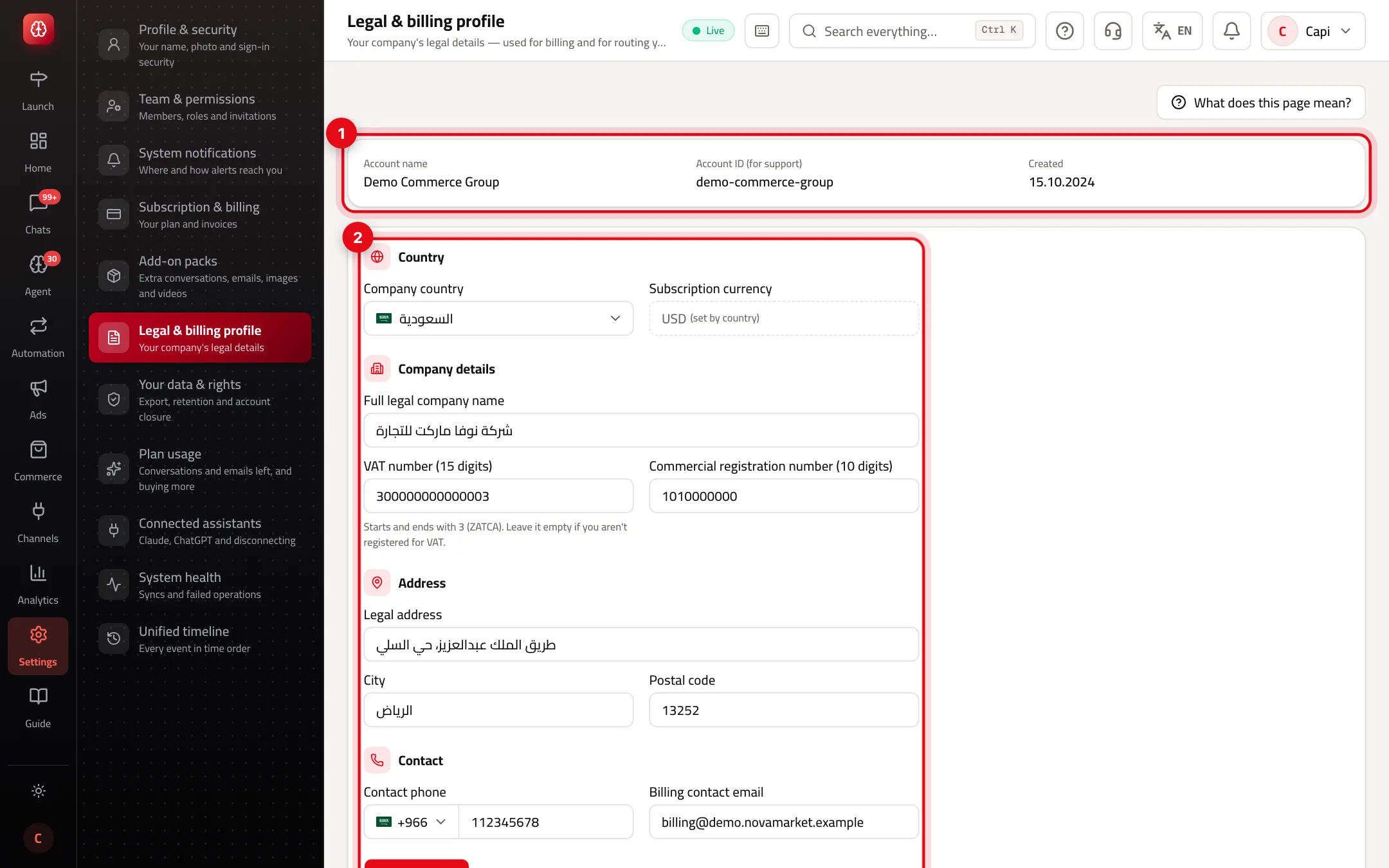
- 1Account facts: name, account ID for support, and creation date.
- 2“Company details”: legal name, country, the subscription currency set by country, and the tax fields.
Tax fields by country
The fields and their format change when you pick “Company country”:
| Country | Tax number | Other fields |
|---|---|---|
| Saudi Arabia | VAT number, 15 digits starting and ending with 3. Leave it empty if you aren't VAT-registered. | Commercial registration number (10 digits), optional |
| UAE | Tax registration number, TRN (15 digits) | Trade license number, optional |
| Turkey | Vergi Numarası: 10 digits for a company, or 11 (Turkish ID) for a sole proprietorship. Required. | Vergi Dairesi (tax office), optional |
Subscription currency: Turkish lira for a company in Turkey, US dollars otherwise.
Complete the profile
- 1
Company details
Enter the “Full legal company name” as registered, choose “Company country”, then fill the tax fields that appear.
- 2
Contact
“Contact phone” with country code, and “Billing contact email”.
- 3
Address
“Legal address”, “City” and “Postal code”.
- 4
Save
Press “Save changes”. You'll see “Changes saved.”
Tips
- Use a shared billing inbox (e.g. accounting), not your personal email, so nothing is lost when people change.
- When you contact support, send the “Account ID” from the top of the page so we reach your account directly.
Common mistakes and how to fix them
Problem“Invalid format” when saving.
FixTax fields are digits only, with the length shown under the field.
ProblemThe payment provider rejected the details at checkout.
FixWrite the phone with its country code (e.g. +966…) and check the address and city.
ProblemI can't choose the subscription currency.
FixIt's set automatically from “Company country”.
Screenshot from a demo store
Parts of the page
- 1
Why we need them
An official invoice needs the legal name and address, and the country decides the billing currency and the right payment provider.
Related articles
Didn't find your answer?