Automations & campaigns
Protection log
What was blocked and why
The protection log: messages the sending gate delayed or blocked, and why.
Open the page in the dashboardWhat the gate protects
Before every marketing message — from a campaign, an automation or proactive chat — the sending gate checks the customer's limits: how many messages they got this week, whether it's quiet hours, how long since the last one. This page shows what the gate deferred or blocked, and why.
“Protected” is deliberate: a protected message didn't fail; the customer was spared an extra message. A deferred one is reconsidered at a written time; a blocked one won't be sent.
At the top are two views: “Actual decisions” when the gate is on, and “Dry run — what would have been blocked” when it runs as a trial, recording what it would have done while sending follows the old rules.
Read the protection log
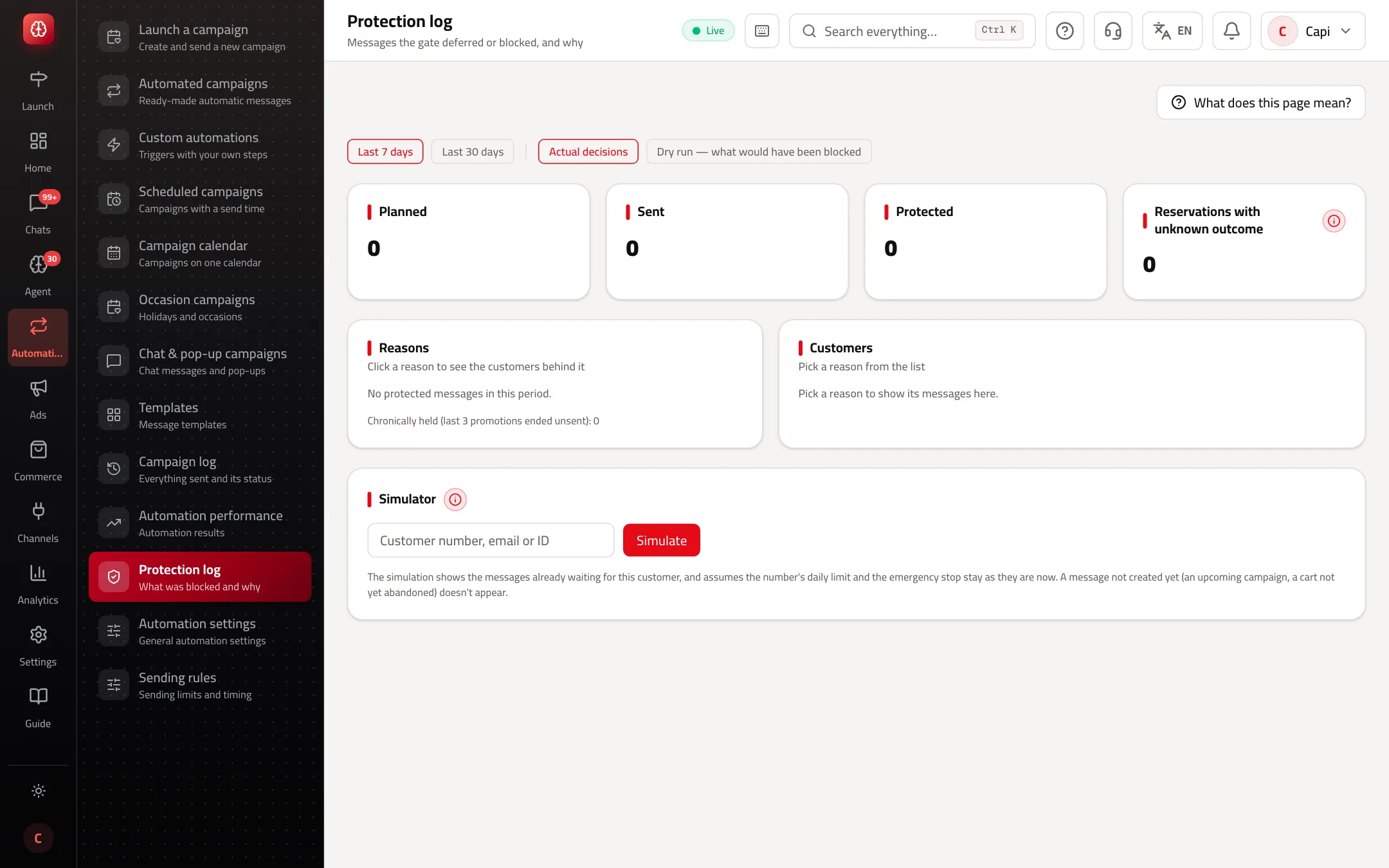
The numbers at the top
| Number | What it means |
|---|---|
| Planned | Every message that went through the gate. |
| Sent | What it allowed and was sent. |
| Protected | What was deferred or blocked. |
| Reservations with unknown outcome | Counted as sent to be safe. If it grows, the problem is technical, not the limits — tell support. |
The common reasons
Deferred: customer reached the weekly cap
- What it is
- The customer hit the weekly message limit.
- When to use it
- Goes out when the limit allows.
- How to start
- Nothing, or raise the limit on “Sending rules” within the platform's ceiling.
Deferred: quiet hours in the store's time zone
- What it is
- The send time fell in quiet hours.
- When to use it
- Sent when they end.
- How to start
- Nothing.
Deferred: cooldown between messages
- What it is
- The previous message was too recent.
- When to use it
- Comes back after the cooldown.
- How to start
- Space out your campaigns.
Deferred: customer bought recently
- What it is
- No promotions for some days after a purchase (3 by default).
- When to use it
- Comes back after that.
- How to start
- Nothing — it protects the customer's experience.
Deferred: a higher-priority recovery journey is running
- What it is
- The customer is in an abandoned-cart journey, so the lower-priority message waits.
- When to use it
- Takes its turn when the journey ends.
- How to start
- Set the order on “Sending rules”.
Protected: customer opted out of marketing
- What it is
- Will never be sent.
- When to use it
- Always.
- How to start
- Nothing.
Protected: customer never replied
- What it is
- Got earlier messages and never replied.
- When to use it
- Protects your number's rating.
- How to start
- Nothing.
The message expired before the hold cleared
- What it is
- It waited and never got a suitable time.
- When to use it
- An offer that ended before it was allowed out.
- How to start
- Run fewer overlapping campaigns.
See who was affected
- 1
Pick the period
Last 7 days or last 30 days.
- 2
Press a reason
The “Customers” list appears: who they are, the message's source and class, its status, and “Re-evaluation” — when the gate will look at it again.
- 3
Try the simulator
In “Simulator” enter the customer's number or email and press “Simulate”: you see what they'd receive over the next 14 days by the same gate decision, without writing anything.
How to use it
- If the top reason is the weekly cap, you're sending more than your customers can take. Send fewer campaigns rather than raising the limit.
- “Chronically held” are customers whose last 3 promotional messages ended unsent. Exclude them from your next campaigns.
- Before turning the gate on, read the dry run for a few days: it shows exactly what it would have stopped.
Common mistakes and how to fix them
ProblemIt says the protection log is off in this version.
FixThe sending control plane isn't running on this deployment. Sending uses the older protection, and there are no gate decisions to show.
Problem“Actual decisions” is empty.
FixThe gate is in dry run. Open “Dry run — what would have been blocked”.
Screenshot from a demo store
Parts of the page
- 1
The sending gate
Before every marketing message the gate checks your limits: messages per customer per week, quiet hours, and time since the last message.
ExampleA customer who got 3 promotional messages this week, with a limit of 3: the fourth waits until the limit allows it. - 2
Reasons and customers
Click a reason to see the customers behind it and when the gate will reconsider their message.
Related articles
Didn't find your answer?