Settings
Add-on packs
Extra conversations, emails, images and videos
Buy what you need on top of your plan here — it's added right away for all your brands.
Open the page in the dashboardWhen you need an add-on pack
A pack is a one-off quantity on top of your monthly subscription, added to your balance as soon as you pay. It's for the merchant who ran out mid-period and doesn't want to wait for the renewal or change the subscription.
A pack is valid until the end of the current period and is shared by all brands in your account. The next period starts again from your subscription.
Read the page
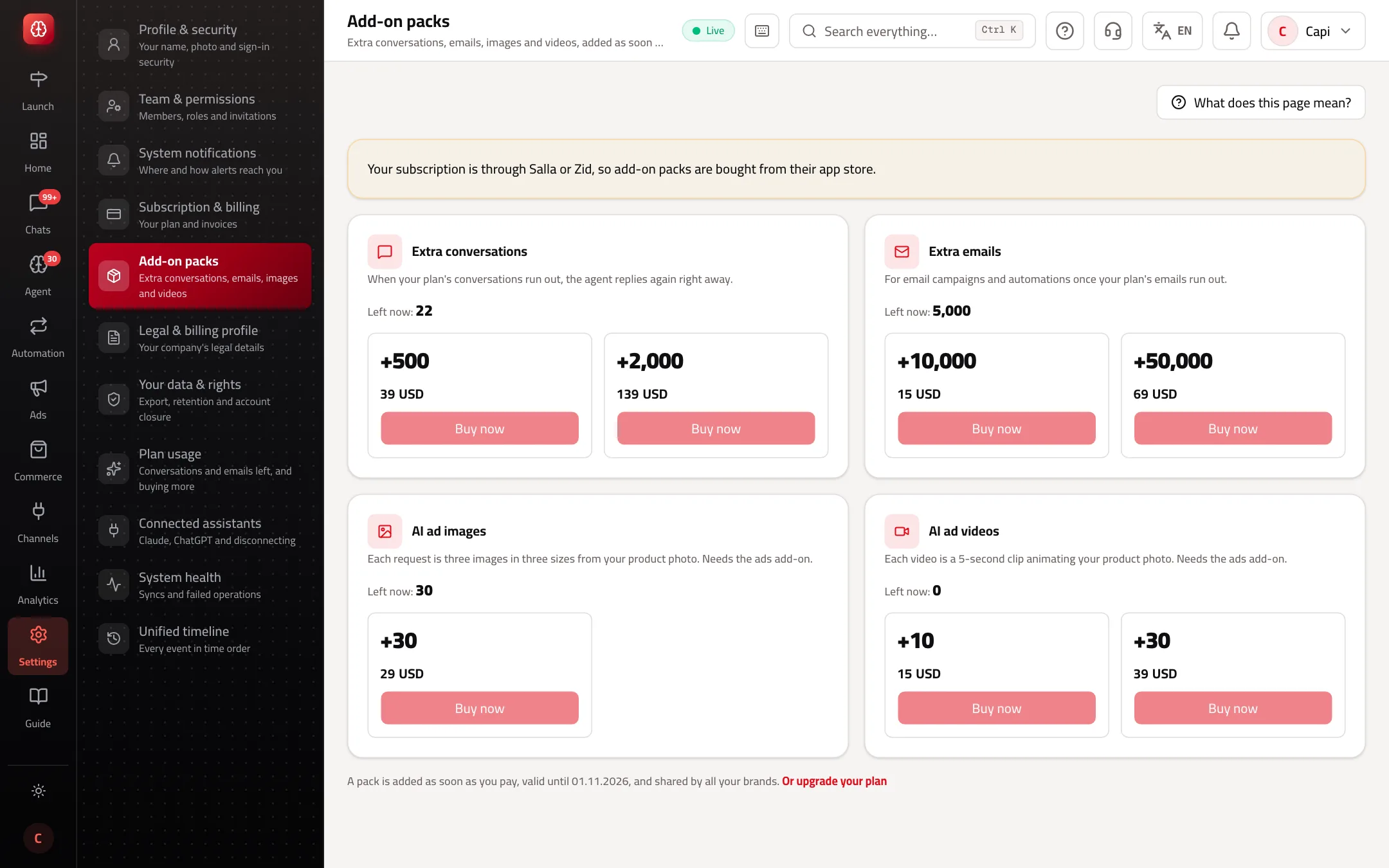
- 1The pack type, and what's “Left now” in your balance.
- 2Each pack: quantity, price and “Buy now”.
- 3How long packs stay valid, and “Or upgrade your plan”.
Packs you can buy
Prices in US dollars, or Turkish lira if your company is in Turkey:
| Pack | Quantities | When you need it |
|---|---|---|
| Extra conversations | +500 ($39) · +2,000 ($139) | When your plan's conversations run out — the agent replies again right away. |
| Extra emails | +10,000 ($15) · +50,000 ($69) | For email campaigns and automations once your plan's emails run out. |
| AI ad images | +30 requests ($29) | Each request is three images in three sizes from your product photo. |
| AI ad videos | +10 ($15) · +30 ($39) | Each video is a 5-second clip animating your product photo. |
Image and video packs show only when the “Social media ads” add-on is on in your subscription.
Buy a pack
- 1
Pick the pack
Check “Left now” on the card and choose an amount that lasts until the period ends.
- 2
Press “Buy now”
You go to the payment page. Your legal profile needs to be complete.
- 3
Check it was added
After paying you come back here and see “Payment received — the pack has been added to your balance.”
Tips
- If you buy packs two months in a row, raising your limit in “Subscription & billing” is usually cheaper.
- Watch your balance in “Plan usage”. You're alerted at 80% before anything stops.
Common mistakes and how to fix them
Problem“Buy now” is disabled and it says you're subscribed through Salla or Zid.
FixBuy packs from the Salla or Zid app store.
Problem“Complete your billing details on the billing page first”.
FixFinish “Legal & billing profile”, then try again.
Problem“The payment didn't go through, and nothing was charged.”
FixTry again. Nothing was added and nothing was charged.
ProblemI don't see image and video packs.
FixTurn on the “Social media ads” add-on on the billing page first.
Screenshot from a demo store
Parts of the page
- 1
Add-on pack
An amount added on top of your monthly plan, valid until the end of the current period.
ExampleRan out of conversations mid-month? Buy 500 and the agent replies again right away. - 2
Shared by your brands
A pack is added to your whole account, and every brand draws on it.
Related articles
Didn't find your answer?